
JBioFramework - Download
You'll be able to download in few seconds.
Publisher Description
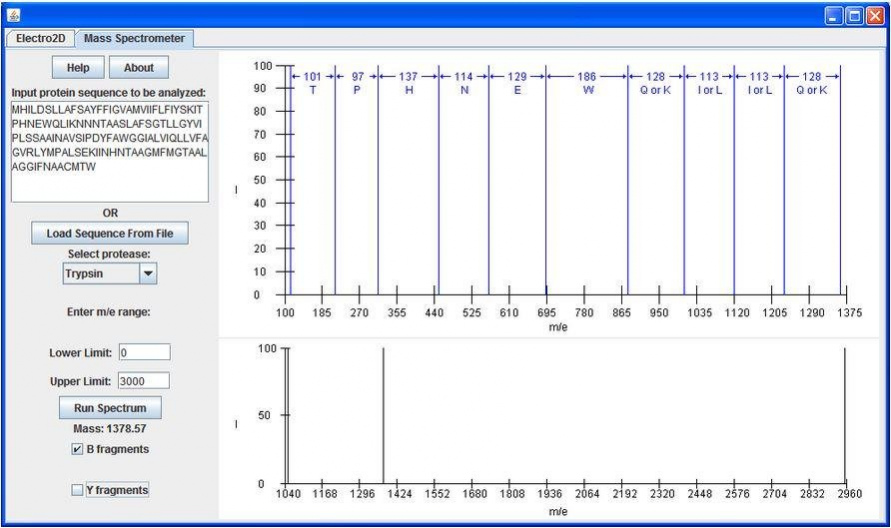
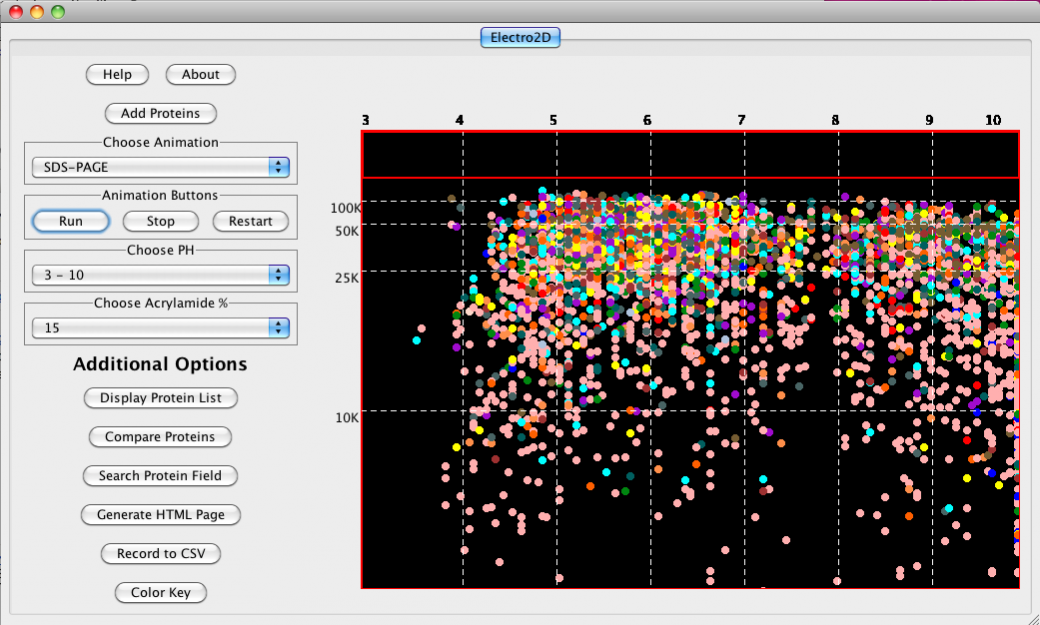
JBioFramework (JBF) is a set of two different chemical separations simulations (2D Electrophoresis and Mass Spectrometry) that are frequently used in chemistry, biochemistry and proteomics research. It is written in the Java programming language and will run on any and all systems that have the JVM installed.
As we continue to develop the software over the coming months/years and attempt to quantify the success of our efforts with testing and reviews, user input is very important. Please don't hesitate to review the software below or email Paul Craig [pac8612@rit.edu] with larger descriptions/bugs/feature ideas.
Our next scheduled release will contain (in addition to 2DE and MassSpec) a 1D Electrophoresis simulation as well as a tab containing ChemAxon's MarvinSketch [http://www.chemaxon.com/products/marvin/] along with some improved functionality. It should be out shortly as we complete the creation and modification of a permanent domain for the project.
- 2D Electrophoresis Simulation complete with protein-specific database searches
- Integrated and modular Mass Spectrometer simulation.
About JBioFramework
This Computer program is available in English. It was last updated on 29 September, 2026. JBioFramework is compatible with the following operating systems: Linux, Mac, Windows.
The company that develops JBioFramework is aks5238. The latest version released by its developer is 1.0 .
The download we have available for JBioFramework has a file size of 107.7 MB. Just click the green Download button above to start the downloading process. The program is listed on our website since 2016-08-09 and was downloaded 0 times. We have already checked if the download link is safe, however for your own protection we recommend that you scan the downloaded software with your antivirus. Your antivirus may detect the JBioFramework as malware if the download link is broken.
How to install JBioFramework on your Windows device:
- Click on the Download button on our website. This will start the download from the website of the developer.
- Once the JBioFramework is downloaded click on it to start the setup process (assuming you are on a desktop computer).
- When the installation is finished you should be able to see and run the program.
Version History
version
posted on 2016-08-09
version files
posted on 2011-03-27
Several fixes and updates
Disclaimer
External Download
We do not host JBioFramework on our servers. We did not scan it for viruses, adware, spyware or other type of malware. This app is hosted by the software publisher and passed their terms and conditions to be listed there. We recommend caution when installing it.
The external download link for JBioFramework is provided to you by apps112.com without any warranties, representations or guarantees of any kind, so access it at your own risk.
If you have questions regarding this particular app contact the publisher directly. For questions about the functionalities of apps112.com contact us.
